Temporary Email Use Cases: An Inbox for Each Task That Ends
Temporary email is for work that ends. A webinar you attend once. A report you download once. A tool you try for a week and never open again. Each one asks for an email address, and none of them has earned a permanent place in your primary inbox.
Temporary email, also called temp mail or disposable email, gives that kind of work a receive-only address you can drop when the job is done. One rule keeps it safe: use a temporary inbox only when losing the address tomorrow would cost you nothing.
SmailPro turns that rule into a system. Every short-lived task gets its own temporary inbox. Free keeps up to five active at once, finished inboxes move into History, and a sixth task forces a real choice: rotate old work out, or expand the workspace.
The pattern holds at every size:
- One task, one inbox, one finish line.
- One larger purpose, several small inboxes, each with a single job.
- Five active inboxes, one workspace, on Free.
- A sixth valid task: rotate finished work into History, or expand.
Use temporary email for work that can end
A temporary inbox fits a task with a finish line and no aftermath. If you might ever need to log back in, reset a password, claim a refund, or prove something later, the task is not temporary. Neither is its address.
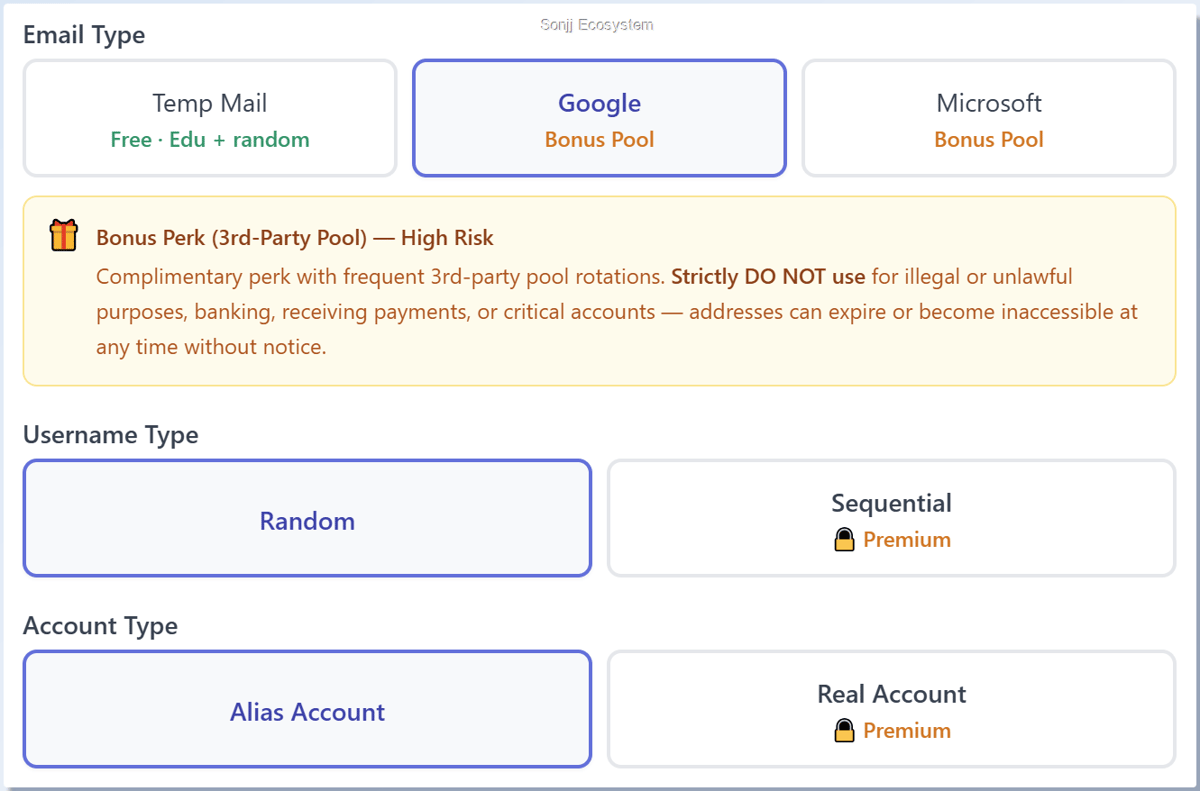
Good fits share three traits: short-lived, receive-only, and harmless to lose. Short-lived has a number: on Free, an inbox on a SmailPro-managed domain stays active for three days, and its card counts down. Gmail and Outlook addresses from the Bonus Pool show no countdown; they last only as long as the pool keeps them.
- Event and webinar access.
- Gated guides, reports, checklists, and other downloads.
- Newsletters and market updates during a research sprint.
- Product evaluations, demos, and onboarding flows you do not plan to keep.
- Coupons, deal alerts, and low-risk community notices.
Bad fits are just as easy to name: logins and account recovery, passwordless or magic-link sign-in you will need again, payments, crypto, healthcare, government, legal records, and your primary work. Magic links, one-time codes, and recovery emails all turn an address into a key. If an address might unlock an account you still want next month, it is not temporary work.
Three kinds of address, three kinds of relationship:
| Address | Use it when |
|---|---|
| Temporary inbox | The task is short-lived, receive-only, and safe to close. |
| Forwarding alias on an account you own | You want separation, but future messages should still reach you. |
| Your own email | The address must keep working: identity, recovery, money, records, work. |
When a website insists on a long-term address, it is telling you what kind of relationship it wants. Believe it, and use an address you own. History can help you revisit saved messages or an address while it remains available, but it never makes the underlying Gmail or Outlook account yours.
Give one short-lived task its own inbox
The smallest Temp Mail Workspace is one task, one inbox, and a finish line you set before you create anything. Get this unit right and every larger use case is simply more of it.
Set the finish line before you create anything
Decide five things first:
- Purpose: the one task this inbox serves, such as trying a brainstorm board.
- Expected email: the access link, confirmation, or welcome message you are waiting for.
- Time window: how long the task needs, and whether that fits inside the inbox's clock.
- Finish signal: the message or result that means the job is done.
- Future-access boundary: whether you could ever need this address again. If yes, stop here and use an address you own.
The inbox exists to receive email for that one task. It is not an account identity, and it is not a recovery channel.
Run the task, then close it
- Create a temporary inbox in SmailPro for the task.
- Use the generated address for that purpose only. The address may be random; the job is what you define.
- Open the email you were waiting for and confirm the access or result arrived.
- Close the workflow when the finish signal appears. Do not lean on the address for password recovery later.
The address is the least interesting part of that clip. The separation is the product.
Split one purpose into several inboxes, not one crowded inbox
A bigger purpose does not need a bigger inbox. It needs several small ones, each with one job.
Research, learning, event planning, and product discovery all create parallel email streams: confirmations, calendar files, reading-group notices, newsletters, webinar links. Pour them into one address and you have only moved the pile from your primary inbox into a temporary one.
Name each inbox lane
Take a learning and research sprint on a technical topic. In the recorded workspace it runs on five inboxes, each with one role:
ai-learning-agenda@example.comreceives registrations, calendar invitations, and access details for the main sessions.ai-paper-club@example.comkeeps confirmations and reading material for focused study.market-research-sprint@example.comcollects selected newsletters and market signals.virtual-events@example.comholds confirmations and schedules for supporting events.webinar-sprint@example.comreceives access details for related webinars.
Change the topic and the labels change; the structure does not. A webinar reminder should never hide inside a newsletter pile, and a reading-group confirmation should never sit next to a market digest with no context.
market-research-sprint while two reading-group sessions are registered with ai-learning-agenda; both confirmations land there, and one is opened to show the session details and an invite.ics calendar file. SmailPro shows the separation. The names and the grouping are yours; SmailPro adds no native folders, tags, or projects, and the clip promises neither delivery nor future access.What the workspace does, and what you do
Those five inboxes form one receiving context: five bounded jobs serving one purpose. That is what Temp Mail Workspace means in practice. SmailPro keeps several active inboxes visible at once, lets you move between them, and later lets you close finished ones into History. You supply the operating model: what each inbox waits for, when it is finished, and where the useful result gets saved.
Each lane also runs on its own clock. A sprint that outlives three days means reusing lanes through History while that is still possible, or running the sprint on the longer clock that comes with the bigger workspace.
Five specialized inboxes also occupy five active slots. That is where Free stops being a demo and starts being capacity.
Five active inboxes are a workspace, and the sixth is a decision
Free holds five active inboxes at the same time. Treat that as working capacity rather than a teaser; five covers a full rotation of everyday tasks, three days at a time.
Five everyday roles fill Free
- Deals and coupons waits for promotional offers and discount codes.
- App evaluations receives onboarding messages and verification links during one short, legitimate product evaluation.
- Online workshops holds registration details and access information for short-lived events.
- Learning resources collects downloadable ebooks and guides.
- Community forums receives activation messages and low-risk discussion notifications.
Each inbox answers two questions: what is it waiting for, and what has to happen before it can close? On Free the clock answers the second question for you: after three days the card reads Expired and waits for you to remove it. Researchers, marketers, founders, and product teams run the same model under different labels: onboarding journeys, demo environments, campaign research, newsletter monitoring.
The sixth workflow triggers the limit
Now Trip research shows up. It is a fair temporary job as long as it only collects destination ideas, promotional alerts, downloadable city guides, and packing lists. Tickets, reservations, booking confirmations, and official itineraries belong in an address you own, because you may need them at a border, a front desk, or a refund form.
With five slots full, selecting + Create opens the Active email limit reached dialog. It lists the five active inboxes, explains that the one you remove will move to History with its messages kept, and offers Remove & create. By default, SmailPro pre-selects the oldest inbox and asks, instead of quietly dropping it. Creating inbox number six has become a decision you make on purpose.
Rotate finished work, or expand
Check finish lines before you check prices. Here the ebooks and guides are already downloaded, so Learning resources is done. Select it, read the notice about History, and Remove & create hands its slot to Trip research.
If all five inboxes still carry live work, rotating one would cost you something real. That is the moment the plan comparison shows Free at 5 active inboxes and Premium at 20, and the badge on every card shows the other half of capacity: Premium runs each SmailPro-domain inbox for seven days instead of three. It is also the honest capacity case for upgrading: expand when closing an active task would be the wrong move, or when your tasks keep outliving their three days. A bigger number on a plan page is never the reason.
+ Create hits the wall: the Active email limit reached dialog shows 5/5, and its upgrade link opens the plan modal with 5 active inboxes on Free against 20 on Premium. After the downloaded e-book marks Learning resources as finished, that inbox is selected in the dialog, the note that its messages are kept is highlighted, and the cursor rests on Remove & create. The recording ends there on purpose. It proves the decision point; it does not show the removal, or later access through History.The SmailPro how-to guide documents both limits and both clocks.
Finish the task, then decide what History keeps
Closing an inbox is not deleting it, and knowing the difference is what makes the workspace safe on any device.
Removing a finished inbox from the active list frees its slot and moves the inbox, with its saved messages, into History. An expired inbox does not leave the list on its own. Its card reads Expired until you remove it, and removal works the same way. On your own device, keep the entry while it is useful. Do not mistake that for ownership: reactivating an address depends on availability and your plan, and it is never guaranteed.
On a shared or public computer, be stricter. Delete the entry, or use Clear history for everything that remains, before you walk away. Deleting removes the entry and its saved messages from SmailPro History, and recreating or reactivating the same address later will not bring those messages back. On Premium, cloud address history is a separate list tied to your account, with its own delete controls.
That is completion hygiene, not a privacy spell. Clearing SmailPro History does not erase site data, downloaded files, clipboard contents, sign-in state, or anything held by an external provider. To use an address again, follow the guide to using an address again; before handing anyone the inbox link, read the share-link and privacy limits first.
Clear history removes the rest after a confirmation that warns the action cannot be undone. The clip ends on an empty History. It shows SmailPro-managed cleanup only; device cleanup and provider-side deletion are separate matters.Start with Free, and upgrade for capacity or address control
Start on Free. It gives you up to five active inboxes plus basic access to Google and Microsoft receiving options through SmailPro's Bonus Pool. That is enough for every use case above; the sixth workflow is where the choice begins.
Upgrade for one of two reasons, and only when it starts costing you time:
- Capacity. More than five legitimate tasks need to stay active at once, or your tasks keep outliving their three days. Premium raises the limit to 20 and runs each SmailPro-domain inbox for seven days.
- Address control. A suitable receiving task needs more say over where the mail lands. Premium opens all available Google and Microsoft servers, adds Real Account options, lets you pick an exact managed domain, and adds Sequential username for Google addresses. It also keeps cloud address history tied to your account and available across devices.
Every option stays receive-only. None is a permanent account, and none is guaranteed to work on every website. SmailPro maintains and refreshes the options it can responsibly provide, so individual addresses, domains, and pools change over time. Move useful results, such as a download, event detail, resource link, or research note, to a system you control.
Your primary inbox is a permanent address. Most of what asks for it is not.
Create the inbox. Receive what matters. End it when the work is done.
Related SmailPro guides
- What temporary email is and how it works
- SmailPro features overview
- Security and privacy limits of a temporary inbox
- Temporary email for QA and authorized team testing
- Temporary email API for automated receive-only tests
- Temporary email for ebook and resource downloads
- Temporary email for file-transfer notifications
- Temporary email for social network signup testing